Oct 14
During the installation of software, it is usual for a program to automatically configure itself to initiate once you boot your system. This may cause programs to completely open or open and minimize to the system tray without you even knowing. The more programs that open when the computer is booted, the longer it will take before you can use your computer properly. Some of these processes are needed for your computer to run (like drivers etc) however the rest are not needed and slow your computer down.
Using CCleaner, it is very simple to disable programs that start with Windows. As long as you are careful to only remove programs that you know are not crucial to the running of your PC, CCleaner can easily disable them. It is also good to use CCleaner as it may be tricky to configure every program by itself and some programs don’t even give the end user the choice of disabling at start up. Use the following steps to do so:
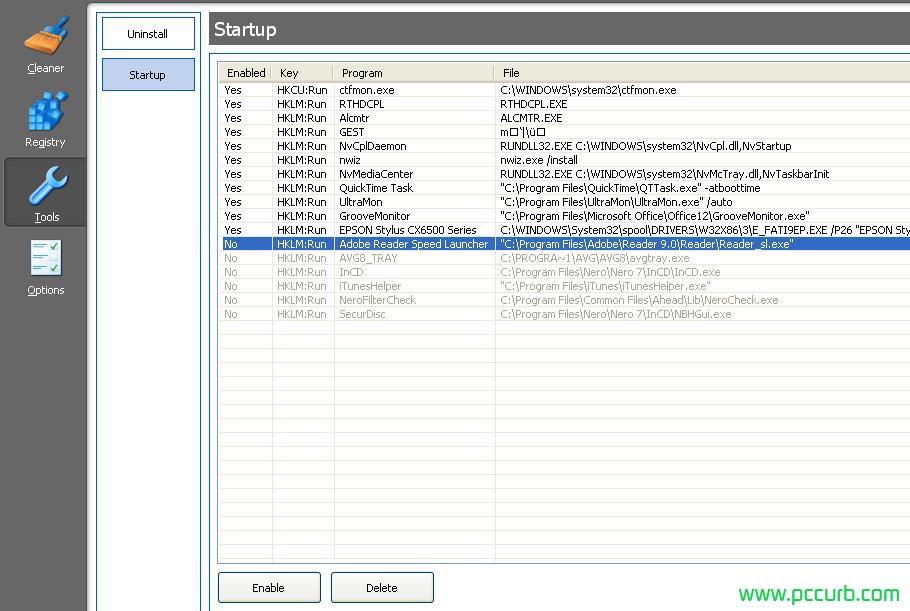
Open CCleaner > Tools > Startup.
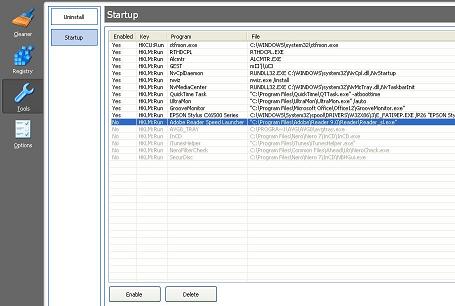
Once here just select a process, click ‘disable’ located at the bottom. Just incase you want to change your mind in the future it is a good idea to only disable such processes instead of deleting them. Here is an example below:
Click to enlarge.
Oct 06
If you have recently upgraded your CPU and noticed the temperatures are quite high or higher than what others are experiencing with the same CPU, there are a few things to check first.
- Make sure you are using a reliable program to monitor temps like Speedfan or CPU-Z found here.
- Your heatsink has poor contact with the CPU and isn’t providing adequate cooling.
- Too much or not enough thermal paste.
- Haven’t pushed all the pins on the heatsink down.
- Some CPUs simply run hot. Either from a poor quality batch or some other reason.
- You are overclocking too much.
Simply upgrading the cooler and quality of thermal paste will make a major difference to the temperature in which your CPU operates at. Coolers which operate with heat pipes keep your CPU cooler as they disperse the heat better. You can also choose to run liquid cooled setups, but they are generally expensive and dont make that much of a difference from a good Heat pipe fan cooled CPU cooler.
Amongst different components in a computer, the CPU is one of the most important to keep cool. The central processing unit is the place where all your activites are processed. This might be as simple as running a word processor to running a high detail game. This is why it needs high priority to be cooled most efficiently. CPUs are one of the most expensive parts to a computer. Extra care should always be taken to make sure there is no overheating present, else you could find yourself having to replace it.
Aug 22
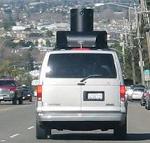
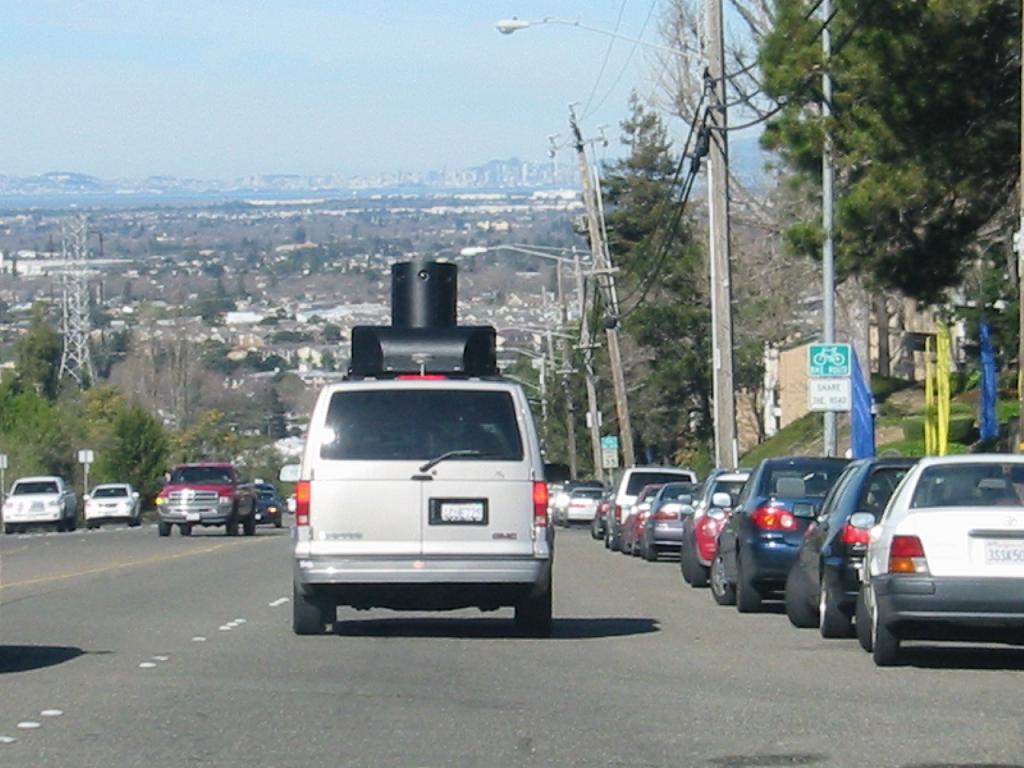
In case you haven’t heard of Google Streetview; it is an itiative setup by Google to give you the freedom to look at any house from closeup. It’s similar to Google Earth except the images are a lot clearer and of better quality. The quality improvement is because the images weren’t taken from a satellite, but a van similar to this:
 Click to Enlarge.
For a lot of people having a closeup photo of their house may be an invasion of privacy. Luckily it is very simple to get your house removed.
Step 1: Send an email to maps-legal@google.com stating you would like your house removed and provide your name and residential address. Some people say it is required to also attach a photo I.D. but it’s not always required.
Step 2: Within a few days you should receive an email with a link to your address on streetview, confirming it is your house/address. Just reply to this email saying that is correct.
Step 3: Wait another few days until you receive this:
According to our records, you recently submitted a report regarding an
inappropriate image in Street View on Google Maps. We’re currently
reviewing the material you reported to determine whether the image
should be removed from the product. We appreciate your assistance.
Sincerely,
The Google Maps Team
Step 4: If your request is approved, you will receive a final email and all images in streetview featuring your house will be blacked out completely.
Hello,
Our records show that you recently flagged an image within Google
Maps Street View as inappropriate. The image has been removed from
our service.
We apologize for any inconvenience this may have caused you and
appreciate your patience while we dealt with this.
Regards,
The Google Team
Jul 22
MSN Messenger is an instant messaging program and an essential tool for a lot of computers users. However, it can be very disconcerting when problems occur. This includes prevention of installation or sign in issues. MSN Messenger is developed by Microsoft for usage on Windows operating systems. If you are running a pirated copy of a Windows operating system, it may be difficult to use this program to it’s full potential due to Microsofts attempts to decrease piracy of their software. This includes prevention of Windows Updates which can prevent MSN working in some cases.
Problems installing MSN/Windows Live Messenger are quite common but there are many things you can do to troubleshoot the problem. In many cases older versions of MSN will not work, causing users to be prompted to install the latest version. So it would be wise to download this small 2mb .exe that will allow you to download the full program opposed to downloading an older version and being prompted to download that same file anyway.
If you are trying to install messenger from this .exe and get the following error message: “To install live programs, you must be online. Please connect to the internet then try again.” this problem can be solved by going to the Windows Update website and downloading/installing updates.
If you have managed to install but you cannot login properly, try these steps:
- Re-download and re-install.
- Allow MSN access through your firewall, or just disable your firewall altogether. Aswell as your Windows Firewall, some anti-viruses have their own so make sure to check them aswell.
- If you are behind a router be sure to forward the ports that MSN uses. An easy guide to this can be found at www.portforward.com
- Update to the latest version as some older versions are unsupported.
- Check your clock and date is set to the right time.
- Perform a Windows Update.
If problems persist, Web Messenger is a temporary solution for your IM needs.
Jun 08
Youtube has never had a download option on their website for people to download videos, however, there are ways to download any video you like. Some people tend to use sites like keepvid.com, which allow you to download videos in FLV format. However, this method can be quite annoying because you need a special player to play them and the FLV format is not compatible with a lot of other programs.
Downloading videos is easily done with a program called vDownloader. Once you download this tiny program, all you have to do is type in the youtube URL of the video you want, and it will start downloading in AVI format. This is a very popular format and is widely used for videos. if you don’t like AVI, vDownloader also offers a range of other formats including MPEG, VCD and DVD. Plus you have the freedom to download directly to a mp3 if you are only looking for the audio.
vDownloader is completely free. I recommend you to share this with your friends because no one wants to screw around downloading foreign formats that are hardly used. Plus the fact some people are tricked into paying for FLV to AVI converters. This is purely a waste of money, so spread the word; vDownloader!
May 28
Lots of people buy computers everyday, however it is a difficult task for some. Deciding between a laptop and desktop PC is an easy decision once you evaluate what tasks you are going to complete with the computer and where you plan to use it. Things like price, computer specs (specifications), portability and style + design are all important factors to consider before purchasing.
One of the most important considerations is; in what environment you are going to use it? If you are just using it at home and don’t need to move it around a lot, a desktop PC would be ideal. However, if you want to use it in multiple locations eg.(on the train, school, work, lying in bed) a laptop would be more suitable. Ofcourse, if you don’t want to move it around, a laptop is more compact and will take up less space inside your house.
Better prices and specs are both reasons to get a desktop PC over a laptop. PCs are drastically cheaper than laptops and have better performance for what you pay. If you see a cheap laptop advertised, you will be able to find a better performing PC for a cheaper price. Desktop PCs are also easily upgradeable. This means you can add extra fans, upgrade video card, motherboard and add your own cards into PCI slots. None of this can be done easily with a laptop.
Whether you decide to buy a desktop PC or a laptop make sure you are happy with the specs and design. Be careful to think about what is best for you before you go into a shop and let a sales person force you into a sale.
May 13
Safety is an important issue concerning people when transferring funds online. No one wants to be scammed and lose any money. However, there are many things you can do to to increase the safety of your transactions and protect your account from scammers.
For sending and receiving payments online, Paypal is the best option and probably the most popular. Paypal is free to setup and easy to use once verified. It is highly used within the buying and selling cmmunity at eBay but that is not surprising considering eBay owns Paypal. Users can make secure transactions with their credit card or direct bank balance to avoid keeping any funds in their paypal account. Just like the eBay system, Paypal users build up a reputation the more safe transactions they acquire. This can be useful if a user ever needs to file a dispute against another member to recover funds.
Despite being the best payment processor online, some people still hate it. Most of these people are just unhappy that it isn’t available in their country or their funds have been ceased for ussing a VCC (virtual credit card) etc. However, any action that is taken, is done so in the best interests of the Paypal community.
There is always a chance you will lose your money no matter what payment processor you use. The internet can be a dangerous place and you have to be extra careful when handling money because you never know the identity of the person you are dealing with.
Mar 25
When using the start menu of an XP computer, you will notice a delay between different programs you scroll across. To make your computer browsing experience quicker it would be better to eliminate this period of delay so they come up instantly. To do so, follow the steps here. They are completely safe.
Go to Start, then Run.
Type: ‘Regedit’ and press enter.
Navigate to HKEY_CURRENT_USER\Control Panel\Desktop
Select MenuShowDelay from the list on the right.
Right on it and select Modify.
Change the value to 0.
Restart your computer.
You will notice immediately that you can navigate around installed programs a lot faster.
A few random shortcuts to assist you:
Windows Key + E – Windows Explorer
Windows Key + F – Launch Find tool
Windows Key + U – Launch the Utility Manager
Windows Key + Pause/Break – System Properties
Windows Key + D – Minimize/minimize current all windows.
Windows Key + L – Quick Log Off
Windows Key + M – Minimize all windows
Windows Key + R – Launch Run Tool
Lastly, to disable effects Windows XP uses for your own personal convenience or enhanced computer performance, Right click My Computer, go to Properties, then Advanced, then Settings under Performance and have a little play around with these until you are happy.
Image 1
Image 2

Recent Comments